
DOCAI /
DocAI is a free, local, open-source Google Drive for your financial documents: invoices, receipts, bank statements and transactions.
Point it at a folder. AI extracts the data from every document, organizes it in one database, and connects it into a complete picture of your money flow. It runs on your own computer.
MIT License || Runs on Your Computer || Local or Cloud AI || MCP for Claude
01 / HOW IT WORKS

STEP 1
Any folder works, including a Google Drive folder synced to your computer. DocAI's folders are your real folders on disk, and changes go both ways.

STEP 2
Every document is recognized (invoice, receipt, bank statement) and its vendor, dates, totals and line items land in a structured schema. DocAI ships with schemas for common documents, and you can create your own.

STEP 3
Browse and search in a Drive-like interface, and match payments to invoices with the built-in reconciliation tool.
02 / YOUR AI, YOUR CHOICE
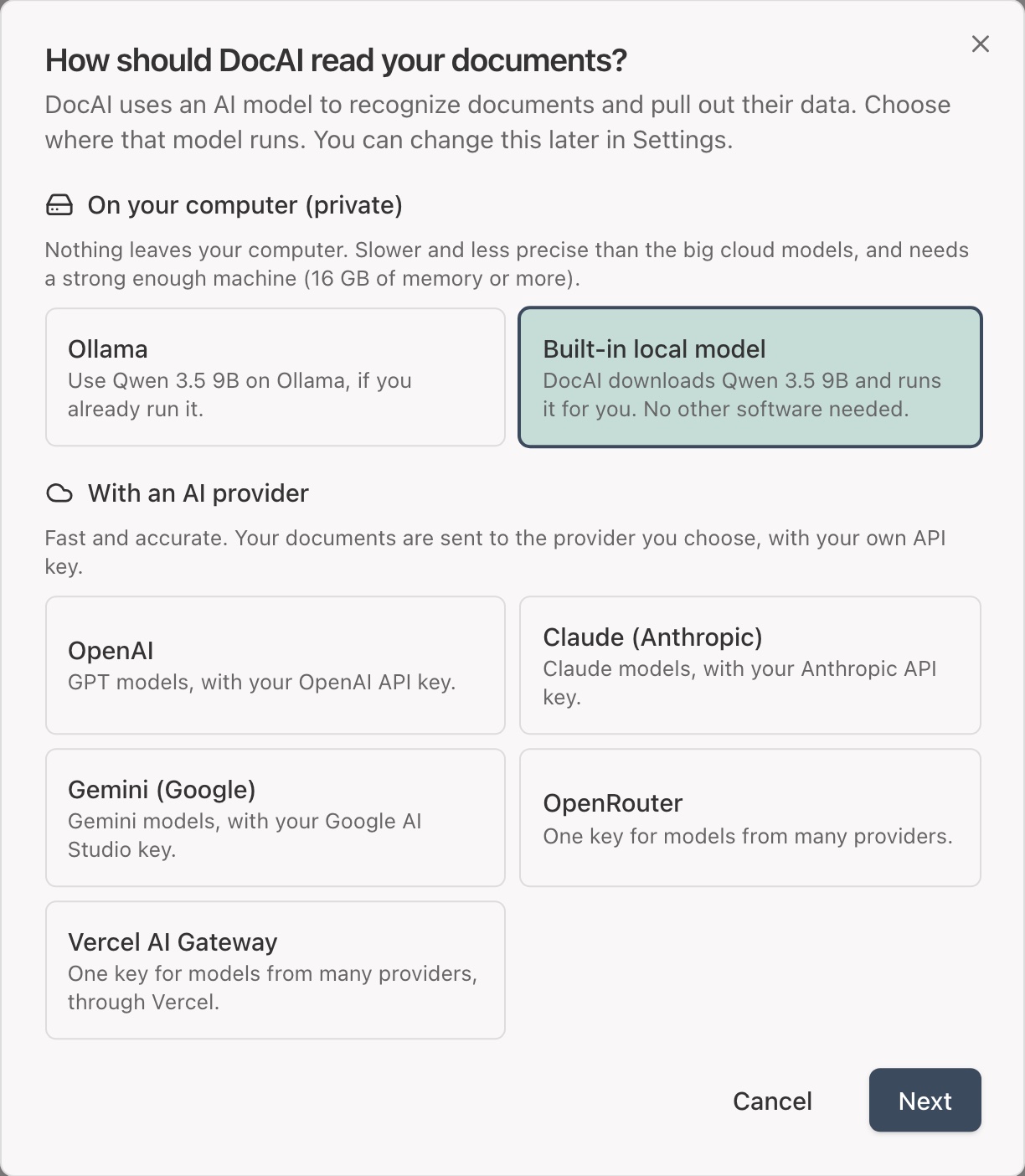
A short setup the first time you open DocAI asks how the AI should run. You can switch at any time in Settings.
Private
Fast
03 / CONNECT ANY AI ASSISTANT
DocAI is also an MCP server. Connect Claude Code, Claude Desktop or any AI assistant, and simply ask:
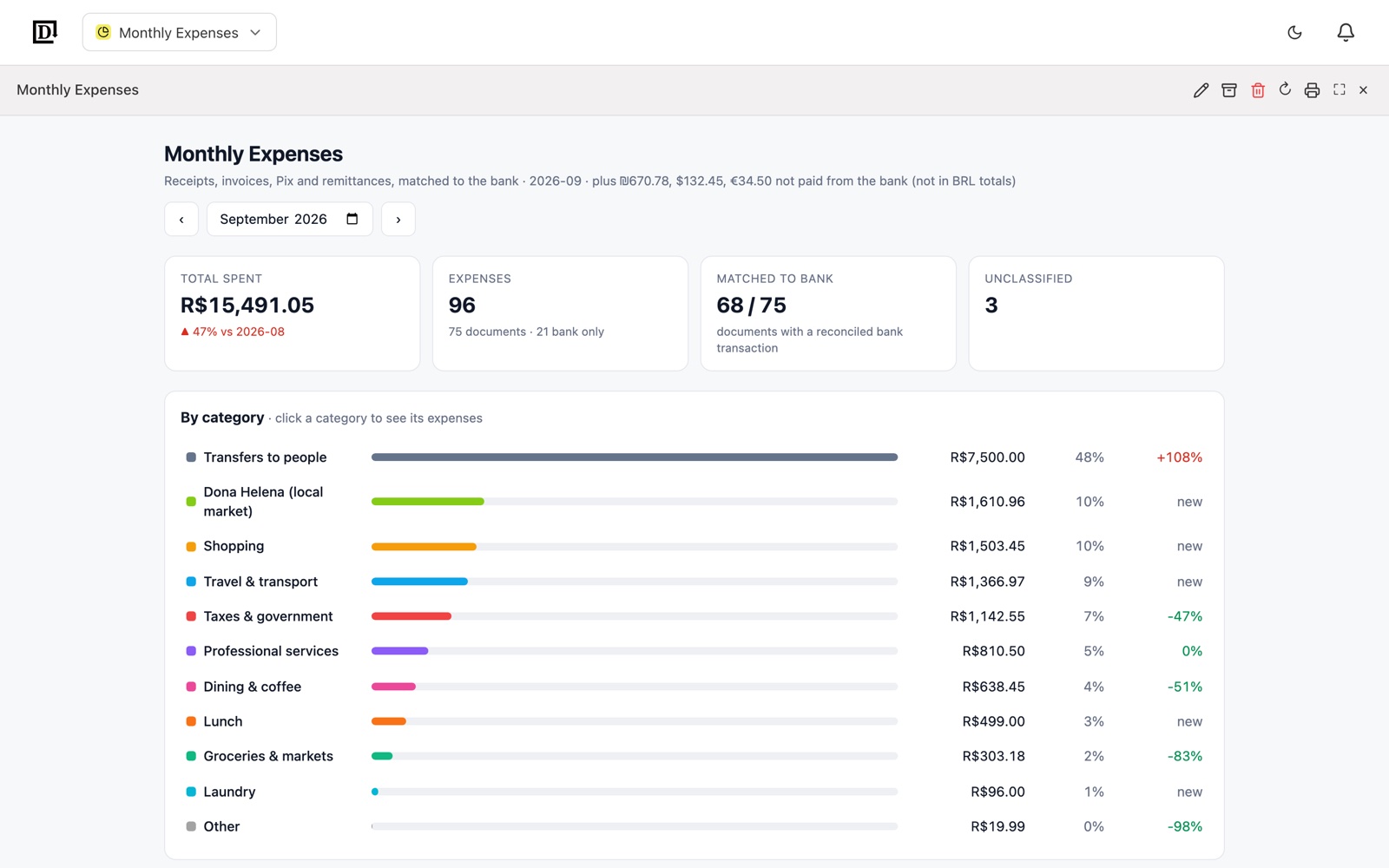
A mini app is a custom tool built on your data, like a monthly expense report, a folder organizer or a bank reconciliation. The AI builds it once; after that it runs on its own, without calling an AI model.
No waiting for a model to answer.
The same input always gives the same result.
No tokens spent each time you run it.
Build it on a few sample documents, then run it on your real ones completely offline.
04 / GET STARTED
You need Node.js. Clone the repository, then:
git clone https://github.com/eliaweiss/doc-ai.git
cd doc-ai
npm install
npm start
Then open http://localhost:4310. The setup asks for the folder with your documents and how the AI should run. Everything runs on your computer, and DocAI is only reachable from your own machine. See the setup walkthrough.
05 / FAQs